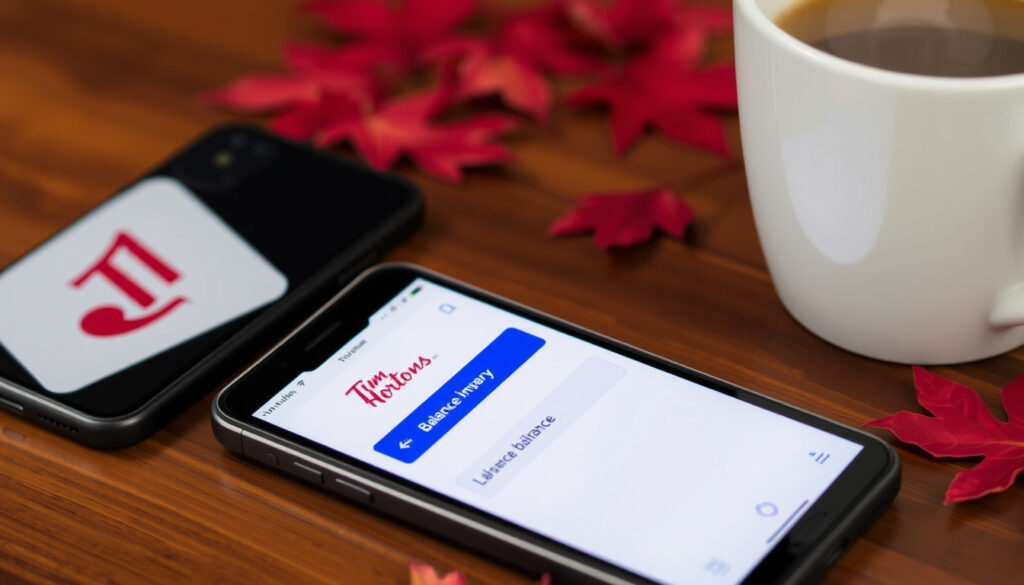
How to Check Your Tim Hortons Gift Card Balance (2025 Guide)
You’ve got a Tim Hortons gift card burning a hole in your pocket (or maybe it’s been sitting in a drawer for months). Either way, you probably want to know how much is left before your next coffee run. The good news is there are several quick ways to check your Tim Hortons gift card balance — from a phone call to the official app — and we’ll walk you through each one step by step.
Balance check methods available: 4 (in-store, phone, app, online) ·
Customer service number: 1-866-TIMCARD (846-2273) ·
Maximum reload amount per day: $100 ·
Number of Tim Hortons locations in Canada: Over 4,000
Quick snapshot
- Visit any participating Tim Hortons restaurant (Tim Hortons Canada official FAQ)
- Ask the cashier to check your balance (Tim Hortons Canada official FAQ)
- No account or card details needed (Tim Hortons Canada official FAQ)
- Call 1-866-TIMCARD (846-2273) (Tim Hortons Canada customer service)
- Provide gift card number (Tim Hortons Canada customer service)
- Automated system will read balance (Tim Hortons Canada customer service)
- Download the Tim Hortons app (Tim Hortons mobile app FAQ)
- Create or log in to your account (Tim Hortons mobile app FAQ)
- Navigate to Gift Card section to view balance (Tim Hortons mobile app FAQ)
- Visit the Tim Hortons gift card balance page (Tim Hortons official Tim Card page)
- Enter your card number and PIN (Tim Hortons official Tim Card page)
- View your remaining balance instantly (Tim Hortons official Tim Card page)
Here are the key numbers and official channels for managing your Tim Hortons gift card.
| Detail | Value |
|---|---|
| Official Website | timhortons.com |
| Customer Service Phone | 1-866-TIMCARD (846-2273) |
| Gift Card Types | Physical and Digital |
| Maximum Reload | $100 per day |
| Balance Check Options | 4 |
How do I check my Tim Hortons gift card balance?
Check balance in the Tim Hortons app
- Download the official Tim Hortons mobile app (available for iOS and Android).
- Sign in or create a free account (requires Tim Rewards enrollment).
- Tap the Scan icon at the bottom, then select Tim Card.
- Transfer your physical gift card to your digital Tim Card by entering the 16-digit card number and 8-digit PIN on the back (Hardbacon step‑by‑step guide).
- Your balance appears immediately on the Tim Card screen.
Check balance at a restaurant
- Visit any participating Tim Hortons location in Canada (over 4,000 restaurants).
- Hand your gift card to the cashier at the counter.
- The cashier will scan the card and tell you the remaining balance (Tim Hortons Canada official FAQ).
- No account or personal information required.
Check balance by phone
- Call 1-866-TIMCARD (1-866-846-2273) – toll free (Tim Hortons Canada customer service).
- Follow the automated prompts to enter your 16-digit gift card number using the keypad.
- The automated system will announce the current balance.
- Alternatively, you can speak with a customer service representative during business hours.
Check balance online
- Go to the Tim Hortons gift card balance page on the official website.
- Enter your 16-digit card number and the 8-digit PIN from the back.
- Click Check Balance – the remaining amount appears instantly.
- If you have a registered Tim Card, you can also log in and view the balance under My Tim Cards (Tim Hortons mobile app FAQ).
The phone method is the most accessible for anyone without a smartphone – just dial 1-866-TIMCARD and follow the prompts. In‑store checks are equally frictionless, but you’ll need to be near a Tim Hortons location.
The tip: both methods are ideal for quick, no-registration checks.
Can I check my Tim Hortons gift card balance online?
Yes, the official Tim Hortons website offers an online balance check. You’ll need the card number and PIN.
Steps to check balance online
- Navigate to the Gift Card section on timhortons.com.
- Locate the Check Balance portal.
- Enter the 16-digit gift card number and the 8-digit PIN from the back of the card.
- Click Check Balance – the current amount is displayed on screen.
What you need: card number and PIN
- The 16‑digit card number appears on the front of the physical card.
- The 8‑digit PIN is printed on the back, usually beneath a scratch‑off layer.
- Without the PIN, online check is not possible. In that case, use in‑store or phone methods (Hardbacon note on PIN requirement).
The implication: For most users, the online method is convenient, but it doesn’t work if you haven’t retained the original packaging with the PIN. Keep that scratch‑off safe.
Can I check my Tim Hortons gift card balance without an account?
Absolutely – you don’t need a Tim Hortons account to check your balance via two methods.
Check balance without logging in
- In‑store: Simply hand the card to a cashier – no account needed.
- By phone: Call 1-866-TIMCARD and enter the card number – no login required.
Using the app without account
- The Tim Hortons app does require you to sign up for a free account (including Tim Rewards) before you can view the gift card balance (GiftCardGranny balance check directory).
- If you prefer to avoid account creation, in‑store and phone checks remain the best options.
Phone check without account
- Call 1-866-846-2273 – the automated system only needs the card number (GiftCardGranny balance check directory).
- No PIN, no password, no registration.
The trade‑off: Account‑free methods are simple, but they don’t let you view transaction history or manage multiple cards from one dashboard.
How to check transactions on my Tim Hortons gift card?
If you want to see where your balance went, here’s how to pull up the transaction log.
Viewing transaction history in the app
- After transferring your gift card to a digital Tim Card in the app, tap Tim Card from the home screen.
- Scroll down to see recent transactions – purchases and reloads are listed with dates and amounts.
- This feature is only available if you have registered your card in the app (Tim Hortons mobile app FAQ).
Requesting transaction log by phone
- Call 1-866-TIMCARD and ask a customer service representative to provide a transaction history.
- You may need to verify your identity with the card number and possibly the PIN.
- The representative can read recent transactions or, in some cases, send a summary via email.
What transactions are recorded
- The gift card logs every purchase (when you use it to pay) and every reload (when you add funds).
- Balance adjustments or corrections may also appear.
- According to some tutorials, a direct quick balance check without logging in does not show transaction history – you need the registered app or a call for that detail.
If you haven’t registered your card in the app, you won’t see transaction history online or in-app. The only way to get it without registration is to call and ask – and even then the representative may not provide a full printed log.
Why this matters: For budget‑conscious users, tracking reloads and purchases helps avoid surprises. Registering the card in the app is the only way to get a self‑service history.
What should I do if my Tim Hortons gift card is not working?
A gift card that won’t scan or shows the wrong balance can be frustrating. Here’s a step‑by‑step troubleshooting guide.
Common issues: card not reading, balance incorrect
- Card not reading in‑store: The magnetic strip may be damaged. Try wiping it with a soft cloth and ask the cashier to swipe again. If it still fails, request manual entry of the card number.
- Balance appears lower than expected: Check recent transactions in the app or by phone. Someone else may have used the card if it wasn’t registered.
- PIN not scratching off: Use a coin gently to avoid damaging the numbers.
Check if card is activated
- Newly purchased gift cards are usually activated at the register, but sometimes they aren’t. Wait 24 hours after purchase and try again (YouTube guide on activation delays).
- If purchased online (e‑gift card), check your email for the activation confirmation.
Contact customer support
- Call 1-866-TIMCARD for assistance with any gift card issue.
- Be ready to provide the card number, PIN, and – if possible – the purchase receipt.
- Tim Hortons customer service can investigate balance discrepancies, replace defective cards, and escalate persistent problems.
Some third‑party tutorials warn that the quick balance check on the Tim Hortons website can sometimes be unavailable. If you get an error, wait a few hours or use the phone method instead – it’s the most reliable fallback.
The pattern: Most problems come down to an unactivated card, a damaged strip, or an incorrect PIN entry. A quick call to customer service resolves the vast majority of issues within minutes.
Confirmed facts vs. What remains unclear
Based on official sources and third‑party guides, here’s what’s certain about Tim Hortons gift card management – and what still leaves room for doubt.
Confirmed facts
- Gift card balance can be checked without an account in‑store or by phone (Tim Hortons Canada FAQ).
- The Tim Hortons app allows balance check but requires account registration (Hardbacon guide).
- The phone number 1-866-TIMCARD is toll‑free (Tim Hortons official support).
What’s unclear
- The exact URL of the online balance check portal is not listed on the official FAQ – you may need to search for it on timhortons.com (Tim Hortons FAQ gaps).
- Whether the online check works without a Tim Hortons account is not explicitly confirmed in official sources; some tutorials suggest it does require login (YouTube guide).
- The availability of the quick balance check feature appears intermittent, according to a few user reports (YouTube tutorial).
The pattern: official sources confirm the basics, while third-party guides fill the gaps on practical usage.
What official sources say
“You can check the remaining balance on your cards at any participating Tim Hortons restaurant, by calling 1-866-TIMCARD or by going online.”
Tim Hortons Official FAQ
“The quickest way to check your balance is via the Tim Hortons mobile app after transferring to digital Tim Card.”
Hardbacon personal finance guide
The implication: official channels validate the core methods, while third-party guides confirm the app’s speed.
For the average Canadian coffee drinker, the clear recommendation is to use the Tim Hortons app for ongoing balance tracking – it gives you instant access and transaction history in one place. If you prefer not to register, the phone line (1-866-TIMCARD) is a reliable, no‑commitment alternative. The in‑store method works, but it requires a trip to the restaurant. For gift card holders in Canada, the choice is simple: pick the method that fits your routine, and keep that PIN safe for online checks.
Frequently asked questions
Can I reload my Tim Hortons gift card online?
Yes, you can reload a registered Tim Card online or in the app. The maximum reload is $100 per day. Physical gift cards can also be reloaded at the register in any Tim Hortons restaurant (Tim Hortons official Tim Card page).
Do Tim Hortons gift cards expire?
Tim Hortons gift cards do not expire, and they carry no inactivity fees. The balance remains yours indefinitely.
Can I use my Tim Hortons gift card at any location?
Yes, Tim Hortons gift cards are accepted at all participating Tim Hortons locations in Canada and the United States. The balance is stored on the card and works at any restaurant that accepts Tim Cards (Tim Hortons terms).
How do I get a replacement if my gift card is lost?
If you have registered your Tim Card online or in the app, you can request a replacement by calling 1-866-TIMCARD. Unregistered cards cannot be replaced – treat them like cash. Keep a record of the card number somewhere safe.
Are there any fees associated with Tim Hortons gift cards?
No fees are charged for purchasing, reloading, or checking the balance. The full face value of the card is available for use.
Can I buy a Tim Hortons gift card with cash?
Yes, you can purchase a physical gift card at any participating Tim Hortons restaurant using cash, debit, or credit. E‑gift cards can be bought online with a credit or debit card.
More related posts
 Trump Nouvelles du Jour – Supreme Court Rulings and 310+ Lawsuits
 Ella Purnell: Biography, Relationships & Career Facts
 Fiona Rene: Biography, Ethnicity, Career, and Facts
 Redmi Note 11 Pro to Buy: Is It Still a Good Choice?
 Good 4 U Lyrics – Full Meaning, Background & Facts
 1 lb to Grams: The Exact Conversion and Practical Uses
 Mount Robson Climbing Guide: Difficulty, Routes & Costs
 Sofia Richie: Family, Husband Elliot Grainge, and Children